A Hero Image is single image that includes a title and a description along with a button to a remote link.
Steps for adding a Hero Image
1.) From the Insert Tab select Under Media -> Hero Image
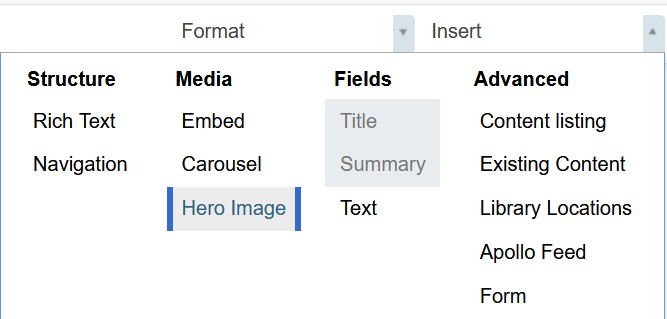
2.) Drop the tile onto the content area by moving the mouse selecting where you want to place the image and click the left mouse button.

3.) To select the image and fill out the fields to define the hero image select the Edit button
Note: The image to use for the Hero Image must already be on the site. So you can either add the image using the Menu Add New --> Image
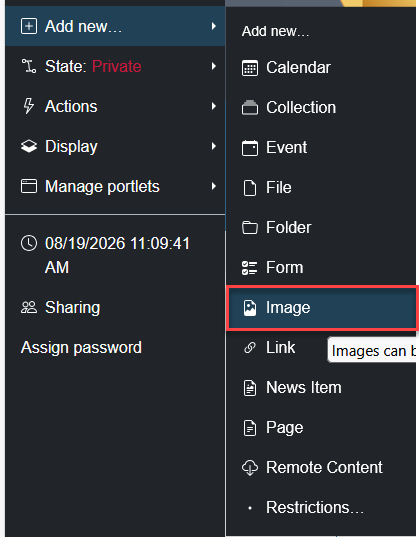
or by the Bulk Upload method
Once the image has been made available on the site you may use the Select or
Was this article helpful?
That’s Great!
Thank you for your feedback
Sorry! We couldn't be helpful
Thank you for your feedback
Feedback sent
We appreciate your effort and will try to fix the article